tinyCam Monitor
- 3.7
- Rating
- 10.00M
- Installs
- Free
- Price

 Analysis by App-foxy
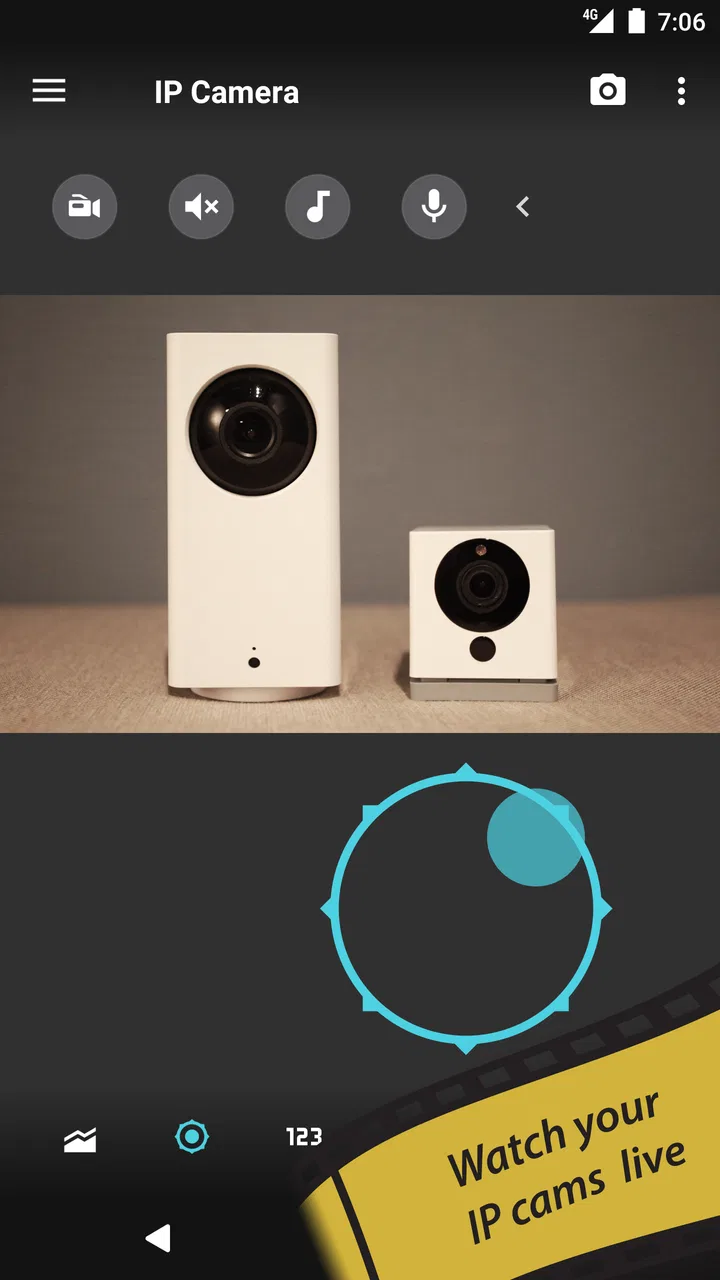
I have always found camera apps more useful when they respect the equipment already installed at home. That is the main reason tinyCam Monitor caught my attention: it is a free House & Home app from Tiny Solutions LLC built to view a broad mix of IP cameras, including ONVIF, Wyze, P2P, CamHi, and Neos models. Instead of pushing me toward one camera brand, it aims to become a single viewing point for different devices.
That approach makes sense for a home with cameras added at different times. A front-door camera, a baby monitor, and an inexpensive indoor unit do not always share the same ecosystem. In my experience, tinyCam Monitor is most interesting when the alternative is juggling several manufacturer apps. It is less compelling if you only own one camera and its official app already does everything you need.
The app is free, rated for Everyone, and has been available since February 6, 2010. Its long presence and more than ten million installs suggest that it has become a familiar option for people who want a general-purpose camera viewer rather than a brand-specific dashboard. The current average sits at 3.8 from around seventy-seven thousand ratings, with roughly three thousand seven hundred written reviews, so the overall picture is useful but not universally enthusiastic.
You May Also Like

 Blood Strike: 2.5 Anniversary
Blood Strike’s Loadouts Turn Every Drop Into a Tactical Gamble
A close look at Blood Strike’s custom loadouts: how fast access to signature weapons reshapes its battle royale rhythm, rewards preparation, and narrows the gap between fights.

 Pandora - Music & Podcasts
Pandora’s Music Is Easy to Start, but Harder to Recover
Pandora’s strength is its low-effort path from a seed to a station. Its weak spot is how much confidence it asks you to place in connection, setup, and quiet recovery.

 8 Ball Pool
 Is Built on Rivalries, Rematches, and Routine
A close look at the rivalries, rematches, shared routines, and unanswered safety questions that turn a quick pool match into a persistent mobile community.

 Samsung Music
’s Quiet Strength Is Playing What You Already Own
Its reach comes less from spectacle than from dependable access to a personal library. That simplicity is both the app’s strongest retention engine and its ceiling.

 AccuWeather: Weather Radar
AccuWeather Review: A Quick, Clear Forecast for Everyday Decisions
For everyday plans, the best forecast is the one you can understand quickly. AccuWeather makes rain timing, radar, and local conditions easy to act on, with a few trade-offs.

 Hill Climb Racing
Why Hill Climb Racing Still Turns Crashes Into One More Run
A tiny car, a bumpy hill and one more upgrade: Hill Climb Racing keeps resurfacing because its simple chaos makes every near-miss feel personal.
More From Our News Desk
View All News


How the free price changes the value
The clearest purchasing fact is simple: tinyCam Monitor is free. That makes the initial decision easy because I can test whether my cameras connect and whether the layout suits me without committing money first. For anyone replacing several separate viewing apps, that no-cost starting point is a meaningful advantage.
Free access does not automatically mean the app is the best value for every household. The real benefit depends on compatibility and on how much I need beyond basic viewing. If a camera connects reliably but an important control or convenience is missing, a free app may still be less useful than a paid or manufacturer-supported alternative that fits the camera better.
I would therefore treat the price as an invitation to experiment, not as proof that every camera will behave identically. The app covers several camera families and protocols, but mixed hardware can expose differences in login methods, stream formats, controls, and available functions. A short test with the cameras I actually own is more valuable than assuming a broad compatibility claim guarantees an identical experience across every model.
There is also a practical cost in time. Setting up one camera may be straightforward, while adding several unrelated devices can require patience. I would keep the camera model names, local addresses, account details, and connection methods nearby before starting. That small preparation can prevent the common frustration of repeatedly switching between camera manuals and setup screens.
What I would test before relying on it
My first test would be deliberately modest: add one camera, confirm the live picture, close and reopen the app, and check whether the stream returns as expected. I would then repeat the process away from home only if remote viewing is important to me. This separates a camera that works on the local network from one that remains useful when I am elsewhere.
I would also test the exact camera controls I care about rather than stopping at a successful preview. A live image is only one part of a surveillance setup. If I need sound, movement controls, alerts, recording, or another specialized function, I would verify each one with my own device. Different cameras can expose different capabilities, and a general viewer should not be judged solely by whether it displays a picture.
Another useful check is switching between cameras in the way I expect to use them. A household with one camera can tolerate a little friction. A household with several may need quick navigation and a clear view of which feed is active. The app’s value rises when it reduces that mental load rather than simply placing all the same complexity in one place.
Where the app delivers practical value
The strongest idea here is consolidation. If I have an ONVIF camera in the hallway, a Wyze device in the living room, and another camera using a different connection method, I would rather begin with one viewer than maintain a collection of unrelated apps. Even when the app does not replace every feature in each official application, a shared viewing point can make routine checks faster.
A realistic everyday scenario would be checking the house while preparing dinner. I might open the app to look at the entryway, switch to the room where a pet is resting, and then glance at a second camera before leaving. That workflow is not glamorous, but it is exactly where a multi-camera viewer earns its place: quick observation without remembering which brand owns which screen.
It can also help during a gradual camera upgrade. Many people do not replace every device at once. One older camera may remain useful while a newer model is added elsewhere. A general app gives me a chance to keep those devices in the same viewing routine instead of forcing a complete changeover whenever one camera brand changes.
The app is also a reasonable fit for people who want a camera viewer rather than a complete smart-home commitment. Some users prefer not to make every device depend on one manufacturer’s ecosystem. With support for several camera types, tinyCam Monitor can serve as a neutral layer for viewing compatible equipment from different sources.
That neutrality has a trade-off, though. Official camera apps often know their own hardware intimately. They may present setup guidance, device-specific controls, cloud options, and notifications in a way a general viewer cannot perfectly reproduce for every model. I see tinyCam Monitor as a practical common dashboard, not necessarily a total replacement for every official companion app.
Useful habits for mixed-camera households
I would name cameras according to location rather than brand. “Front door,” “garage,” and “nursery” are more useful during a quick check than model numbers. This becomes especially important when several feeds look similar or when I am checking them under pressure. A clear naming scheme is a small organizational improvement that makes a general viewer feel much more purposeful.
I would also add devices one at a time and confirm each feed before building a larger collection. When several cameras fail together, it is difficult to know whether the problem comes from a shared network setting, an incorrect account detail, or an individual camera. Sequential setup creates a simple reference point and makes troubleshooting less confusing.
For privacy-conscious use, I would keep the viewing purpose narrow. A camera app can make access convenient, but convenience should not lead me to add every possible device without considering who needs to view it and when. I would use strong, unique camera credentials and avoid treating a successful connection as evidence that the overall setup is secure. Those are sensible habits regardless of which viewer I choose.
I would also keep the official camera app available during initial setup. That is not a criticism of tinyCam Monitor; it is a practical fallback. If a camera needs a brand-specific reset, firmware action, or account change, the manufacturer’s app may be the quicker tool. Once the device is stable, tinyCam Monitor can handle the everyday viewing role if it meets my needs.
The trade-offs behind broad compatibility
Supporting many camera families is useful, but it creates an uneven experience by nature. ONVIF devices, P2P cameras, and branded products can differ considerably in how they expose video and controls. I would expect the basic viewing experience to be the most consistent part, while advanced behavior may vary from one camera to another.
This matters for anyone buying the app specifically for a feature rather than for viewing. If my priority is simply seeing a live feed, a general viewer is easier to recommend. If my priority is a particular camera function, I would verify that function on the exact model before deciding to move away from the official app.
There can also be a learning curve when a camera is not designed around a standard local setup. A person who is comfortable with network addresses and camera credentials may find the process manageable. Someone expecting an automatic, appliance-like setup could find the first connection less friendly than opening a brand app and scanning a code.
Remote access deserves careful expectations. A camera that works inside the home is not automatically equivalent to one that can be checked smoothly from another network. I would test this before depending on the app for travel, deliveries, or checking on a vulnerable family member. If remote viewing is the central reason for installing it, reliability in that exact situation matters more than the number of supported camera categories.
The rating of 3.8 is consistent with an app that many people find useful but that may involve compatibility or setup frustrations for others. I would not read that score as a failure. For a tool connecting to varied hardware, uneven experiences are understandable. I would read it as a reminder to judge the app against my own cameras and expectations rather than assuming a universal result.
When the official alternative is better
I would choose the official camera app first if I owned only one device and depended heavily on its brand-specific features. The manufacturer’s software is usually the most natural place to manage that camera’s account, settings, and specialized functions. There is little advantage in adding a general viewer if it does not simplify my routine.
I would also hesitate to switch if I need a very polished onboarding process. A single-brand app can feel more guided because it knows exactly which hardware it is serving. tinyCam Monitor makes more sense when flexibility and consolidation matter more than a tightly controlled experience.
On the other hand, I would favor tinyCam Monitor when the official apps create unnecessary clutter. Opening separate apps just to check several rooms is a poor daily workflow. A single viewer can be worth trying even if I continue to keep one official app for maintenance or unusual controls.
Who is most likely to get real value
The best match is someone with multiple compatible IP cameras, especially equipment collected from different brands or connection systems. For that user, the free price lowers the risk of testing a unified workflow. The app is also appealing to people who want a straightforward home-monitoring viewer without making a new camera purchase simply to gain a single ecosystem.
It can be useful for renters, families, pet owners, and small home setups where the main need is checking live feeds from several places. I would especially consider it for a household that has one camera in a shared area and another watching an entrance or storage space. The more often I switch between those feeds, the more valuable consolidation becomes.
It is less suitable for someone who wants a completely hands-off installation. If I do not know how my cameras connect, cannot access their account details, or need a device-specific feature that only the official app exposes, the general approach may create more work than it saves.
I would also skip it as a first choice for anyone who wants a full security system experience rather than a camera viewer. A dedicated security platform may be better when alarms, sensors, professional monitoring, or tightly integrated hardware are the main priorities. tinyCam Monitor’s appeal is its role as a flexible viewer for compatible cameras, not as a replacement for every kind of home-security service.
For a single Wyze, Neos, CamHi, or other supported camera, my decision would depend on the official app. If that app is reliable and comfortable, tinyCam Monitor may not add enough. If I am tired of its interface, need to combine it with other camera types, or simply prefer one viewing screen, the free trial is worthwhile.
My final recommendation
I recommend trying tinyCam Monitor when the problem is scattered camera access. Its free availability, support for several camera families, and long-standing presence make it a sensible experiment for a mixed-camera home. I would start with one device, test the functions that matter, and only then move the rest of my viewing routine into it.
My recommendation is more cautious for people who need guaranteed access to advanced, brand-specific controls. In that case, the official app may remain the better everyday tool, with tinyCam Monitor used only as a convenient secondary viewer if it connects successfully.
The value is therefore practical rather than flashy. I am not choosing it because a broad compatibility list removes every setup challenge. I am choosing it because a free general viewer can reduce app-hopping and give an older or mixed collection of cameras a more coherent daily routine. The right test is not whether it supports a camera category, but whether it handles my exact cameras in the moments I actually need them.
For that reason, I would install tinyCam Monitor if I had several compatible cameras and wanted one place to check them. I would skip it if I owned one well-supported camera whose official app already feels complete. That distinction keeps the decision honest: the app offers strong potential value at no purchase price, but its real usefulness comes from how well it fits the hardware and habits already in my home.
FAQs for tinyCam Monitor
01What is tinyCam Monitor used for?
tinyCam Monitor is an application designed for monitoring and managing your security cameras. It supports a wide range of IP cameras, allowing users to view live feeds, record footage, and control camera settings remotely. This app is ideal for both home and business security, providing a flexible and comprehensive surveillance solution.
02Is tinyCam Monitor compatible with all camera brands?
While tinyCam Monitor supports a vast array of IP camera brands, it's essential to check their official compatibility list to ensure your specific model is supported. The app is known for its extensive compatibility, including popular brands like Hikvision, Dahua, and Foscam, among others. Users can also add custom camera models by entering specific URL paths.
03Does tinyCam Monitor offer cloud storage for recordings?
Yes, tinyCam Monitor provides options for cloud storage where users can save their recordings securely. This feature allows for easy access and retrieval of video footage from any location. The app supports integration with popular cloud services like Google Drive and Dropbox, ensuring your data is backed up and easily accessible.
04Can I use tinyCam Monitor on multiple devices simultaneously?
Yes, tinyCam Monitor allows users to access their camera feeds on multiple devices at the same time. This feature is particularly useful for families or teams who need to monitor different areas simultaneously. The app supports both Android and iOS platforms, making it versatile for different user needs.
05What are the privacy and security features of tinyCam Monitor?
tinyCam Monitor emphasizes user privacy and security by providing encrypted connections and password protection for accessing camera feeds. The app ensures that only authorized users can view and manage camera settings, offering peace of mind for those concerned about unauthorized access or data breaches.
Pros
- Supports multiple camera brands
- User-friendly interface
- Remote PTZ control
- Background audio support
- Highly customizable settings
Cons
- Limited free version features
- Initial setup can be tricky
- Occasional connectivity issues
- Ads in free version
- Requires stable internet connection

tinyCam Monitor
Gallery